
Workflow guide

Digital Dental Lab Workflow

Digital files improve speed only when the lab can still see ownership, stage status, due dates, remakes, delivery, and payment follow-up for every case.

Production stages Checklist Bottlenecks
Digital Dental Lab Workflow in Dental Lab Guru
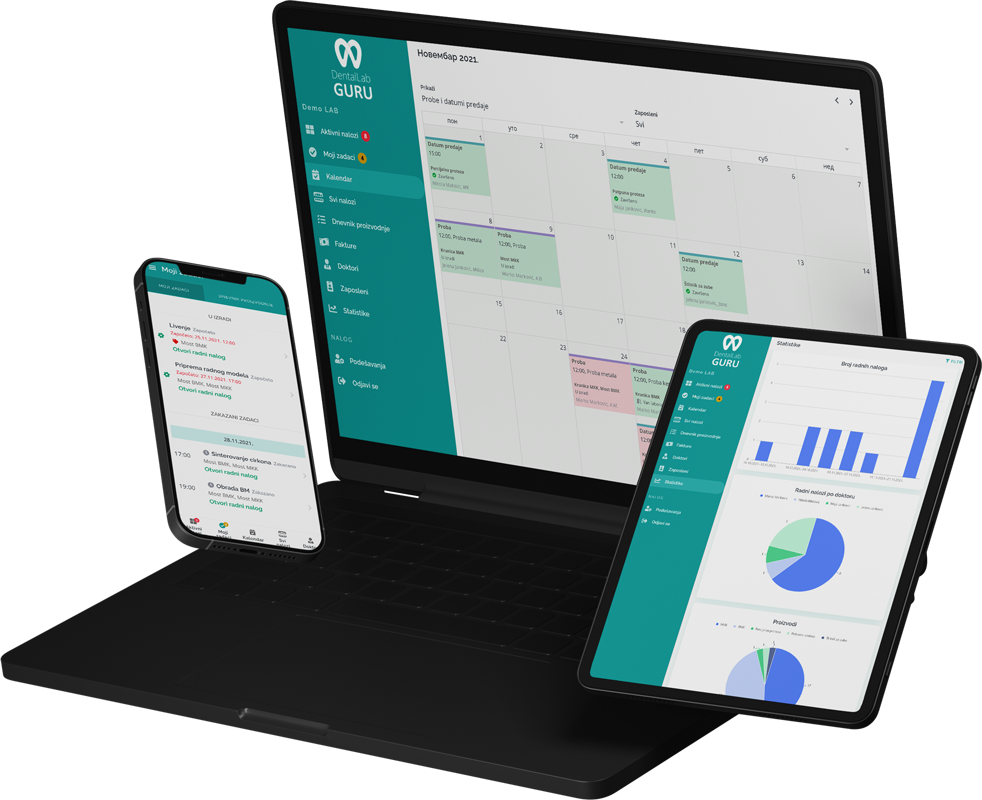
Dental Lab Guru keeps cases, stages, notes, files, delivery, invoices, and payments in one workflow.

Required case information

A digital file is not a complete case. Tie each upload to a dentist, patient reference, prescription, requested work, material, due date, approval path, and the version that production should use.

  • Scan or design file status
  • Portal upload notes
  • Material and restoration details
  • Due date, stage owner, delivery, and invoice status

Typical production stages

Separate file review, design, approval, manufacturing or printing, and finishing so file availability is never confused with design approval or production completion.

  1. 1 Digital intake
  2. 2 File review
  3. 3 Design
  4. 4 Manufacturing or printing
  5. 5 Finishing
  6. 6 Quality check and delivery

Common bottlenecks

  • Files stored in separate tools without clear case status
  • Design waiting for dentist clarification
  • Digital cases not connected to invoices
  • Remakes without root-cause notes

File-to-case control

Keep the approved digital version attached to the production decision

The operational risk is not simply losing a file. It is manufacturing from the wrong version, missing an approval, or letting a file sit without a visible owner.

Keep the approved digital version attached to the production decision
Digital checkpointRecord on the caseControl question
Upload receivedFile name or reference, source, received time, and requested workDoes the upload belong to this dentist and patient reference?
File reviewedUsability result, missing data, and reviewerCan design begin without an assumption or replacement scan?
Design approvedApproved version, approver, approval time, and any conditionsWhich exact version is authorized for manufacturing?
Manufacturing releasedMachine or production route, owner, material, and release timeCan the next person trace the output back to the approved design?

Dental Lab Guru organizes files and workflow records; it is not CAD/CAM design software and does not replace scanner- or machine-specific controls.

Best practices

Keep digital file references attached to the case.

Use stage owners for design and manufacturing.

Track dentist clarification as a visible status.

Review digital remake reasons monthly.

Frequently asked questions

Why is a shared folder not enough for digital case tracking?

A folder can store files but usually does not show the operational owner, approval state, due date, production stage, delivery, invoice, or remake relationship. The case record supplies that context.

How should revised design files be recorded?

Keep the revision attached to the same case, identify which version is current, record why it changed and who approved it, and make the released manufacturing version clear to production.

Does Dental Lab Guru replace dental CAD or manufacturing software?

No. It manages the case and business workflow around the files, including ownership, notes, stage, due date, delivery, and payment follow-up. Design and machine control remain in the specialist tools chosen by the lab.

Related resources

3shape lms alternative

3Shape LMS Alternative

Compare Dental Lab Guru with 3Shape LMS. See workflow fit, pricing clarity, dentist communication, migration steps, and best use cases for dental labs.

dental lab case tracking software

Case Tracking Software

Track cases from intake to delivery with dentist details, files, notes, stages, due dates, delivery status, invoices, and payment follow-up. Every case receives a QR code that employees can scan with a phone. Learn benefits, common mistakes, best practices, and related Dental Lab Guru features.

doctor portal for dental labs

Doctor Portal for Dental Labs

Give dentists a simple place to upload files, send notes, and follow case status instead of spreading communication across calls, emails, and chat apps. Learn benefits, common mistakes, best practices, and related Dental Lab Guru features.

reduce dental lab remakes

Reduce Dental Lab Remakes

Remakes become easier to reduce when the lab tracks causes, original case details, dentist communication, files, and responsibility in a structured way. A practical guide for dental lab owners who want cleaner production control and fewer operational surprises.

night guard workflow dental lab

Night Guard Workflow

Night guards can look simple, but the workflow still needs accurate intake, material notes, stage tracking, finishing, delivery, and payment follow-up. Track required case information, stages, bottlenecks, best practices, and production visibility in Dental Lab Guru.

implant case tracking software

Implant Workflow

Implant cases require tight control over components, files, dentist notes, due dates, and remakes. A structured workflow helps the lab avoid missing details. Track required case information, stages, bottlenecks, best practices, and production visibility in Dental Lab Guru.

Try Dental Lab Guru for 14 days

Move real cases into one shared workflow for production, dentist communication, delivery, invoices, and payment follow-up.