
Workflow guide

Denture Workflow for Dental Labs

Denture production depends on appointments, try-ins, resets, teeth selection, acrylic work, and delivery promises. Dental Lab Guru helps keep those steps from blending together.

Production stages Checklist Bottlenecks
Denture Workflow for Dental Labs in Dental Lab Guru
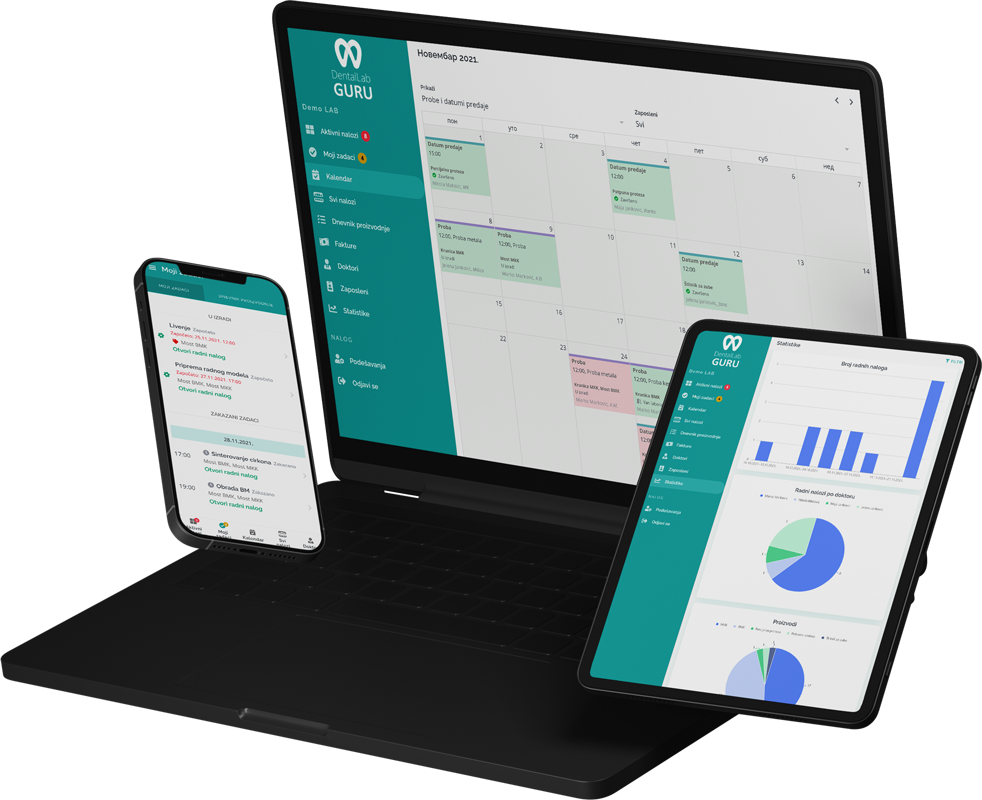
Dental Lab Guru keeps cases, stages, notes, files, delivery, invoices, and payments in one workflow.

Required case information

Record whether the case is new work, a repair, reline, reset, or remake, because each path has different inputs, appointment dependencies, and definitions of ready.

  • Denture type and arch
  • Shade, mould, teeth selection, and setup notes
  • Appointment or try-in dates
  • Repair, reline, remake, or final delivery status

Typical production stages

Treat try-in, approval, reset, and processing as separate decisions. A physical case may be back in the lab while still waiting for approval rather than ready for the next production step.

  1. 1 Intake and prescription review
  2. 2 Model work
  3. 3 Setup and wax try-in
  4. 4 Reset or approval
  5. 5 Processing and finishing
  6. 6 Delivery and payment follow-up

Common bottlenecks

  • Try-in dates not visible to the team
  • Changes after dentist approval
  • Repairs mixed with new cases
  • Finished dentures waiting for delivery or payment

Try-in decision log

Keep appointment outcomes from disappearing between denture stages

A try-in return should carry a clear decision. “Back from practice” is not enough to tell the next technician whether to reset, process, pause, or ask a question.

Keep appointment outcomes from disappearing between denture stages
Return outcomeEvidence to recordNext visible action
Approved to processApproval date plus any final shade, tooth, or finish notesAssign processing and preserve the agreed delivery date
Reset requestedSpecific tooth-position, occlusion, midline, or aesthetic changesReturn to setup with a new try-in date
More information neededThe exact open question and person responsible for answering itUse a waiting status rather than active production
Repair or reline intakeExisting appliance condition, requested service, and received componentsRoute to the repair/reline sequence instead of new-case stages

Appointment and approval records are operational controls. The dentist remains responsible for the clinical prescription and approval communicated to the lab.

Best practices

Use case types for new denture, repair, reline, and remake work.

Track try-in and approval status separately.

Keep dentist notes attached to the case.

Review late denture cases daily.

Frequently asked questions

Should try-in and final denture dates be tracked separately?

Yes. A try-in date is an appointment dependency, while the final finish and delivery dates govern later production. Keeping them separate prevents an approved or returned case from being mistaken for completed work.

How should a denture reset be recorded?

Record the requested changes, the approval or communication that triggered them, the new owner, the next try-in date, and any effect on the final delivery promise. Do not overwrite the earlier decision history.

Why separate repairs and relines from new denture cases?

They often have different intake evidence, turnaround expectations, physical items, and production steps. A distinct case type makes capacity and late-work views more meaningful.

Related resources

dental lab delivery note template

Dental Lab Delivery Note Template

A delivery note helps the lab confirm what left the lab, when it was delivered, which dentist received it, and which case or invoice it belongs to. Preview the fields, usage instructions, and upgrade path to structured Dental Lab Guru workflows.

dental lab production scheduling software

Production Scheduling Software

Plan production around case stages, due dates, rush work, technician visibility, and delivery promises from one shared dashboard. Learn benefits, common mistakes, best practices, and related Dental Lab Guru features.

dental lab invoice tracking software

Invoice Tracking Software

Connect completed cases to invoices and payment status so finished work does not get lost after delivery. Learn benefits, common mistakes, best practices, and related Dental Lab Guru features.

organize dental lab production

Organize Dental Lab Production

A dental lab becomes easier to manage when every case has a clear status, owner, due date, stage, delivery plan, and payment follow-up. A practical guide for dental lab owners who want cleaner production control and fewer operational surprises.

orthodontic lab workflow software

Orthodontic Workflow

Orthodontic appliances often require repeated steps, clear doctor instructions, and accurate delivery timing. A shared workflow helps the lab keep details visible. Track required case information, stages, bottlenecks, best practices, and production visibility in Dental Lab Guru.

crown and bridge workflow dental lab

Crown and Bridge Workflow

Crown and bridge work moves fast, and small misses in shade, due date, or stage status can create expensive callbacks. This guide shows how to keep the workflow visible. Track required case information, stages, bottlenecks, best practices, and production visibility in Dental Lab Guru.

Try Dental Lab Guru for 14 days

Move real cases into one shared workflow for production, dentist communication, delivery, invoices, and payment follow-up.