
Software comparison

3Shape LMS Alternative for Dental Labs

3Shape LMS can be part of a broader digital dentistry environment. Dental Lab Guru is a lighter operational system for labs that need case tracking, production visibility, dentist communication, and payment follow-up.

Fair comparison Small lab fit Migration checklist
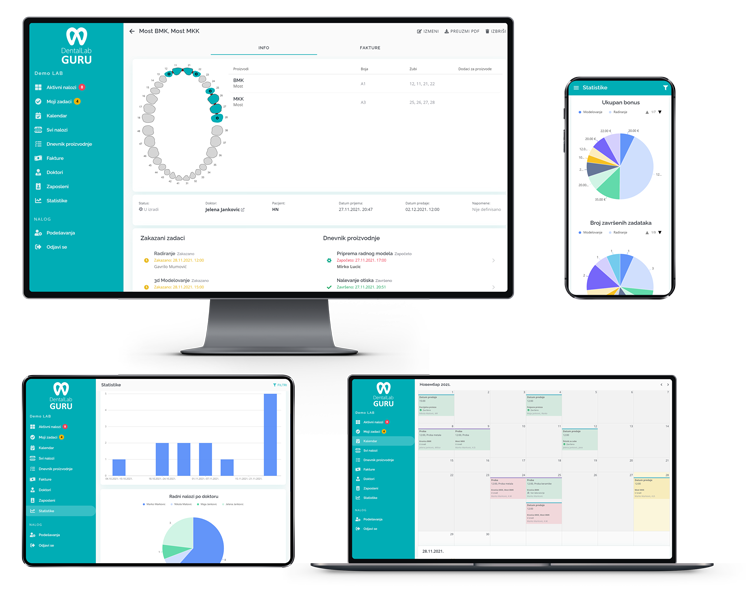
Dental Lab Guru dashboard as a 3Shape LMS alternative
Dental Lab Guru keeps cases, stages, notes, files, delivery, invoices, and payments in one workflow.
Primary keyword

3shape lms alternative

Search intent

commercial

Why labs compare 3Shape LMS with Dental Lab Guru

Labs comparing 3Shape LMS should separate design and scanner ecosystem needs from daily lab operations such as due dates, delivery status, invoices, and remakes.

Dental Lab Guru is not CAD design software. It is built to organize the business workflow around every case, including files, notes, stages, delivery, and payment status.

The right choice depends on lab size, complexity, budget, implementation appetite, and how much dentist communication should happen inside the same system as production tracking.

Feature comparison

Evaluation areaDental Lab Guru3Shape LMS
Primary fitSmall and medium labs that want fast setup and clear daily workflowOften considered by labs evaluating broader or legacy lab management options
Dentist communicationDoctor portal, files, case notes, and status updates connected to casesVerify current portal and communication options directly with the vendor
Pricing model$449 per year Professional plan with all core features includedPricing may vary by plan, configuration, users, or deployment needs
Implementation styleBrowser-based setup built around cases, stages, due dates, invoices, and paymentsImplementation details can depend on product version and lab requirements

Migration guide

A simple migration should protect current production and avoid a big-bang software switch.

  1. 1 Keep CAD and design tools where they already work.
  2. 2 Move production tracking, due dates, dentist communication, and payment follow-up into Dental Lab Guru.
  3. 3 Attach design files and notes to the relevant case record.
  4. 4 Use dashboard views to manage cases across digital and analog workflows.

When Dental Lab Guru is the stronger fit

  • You want to replace spreadsheets, paper job cards, and scattered messages.
  • You need a practical case dashboard more than a long implementation project.
  • You want predictable pricing for a small or growing lab.
  • You want dentist files, messages, case status, invoices, and payments in one workflow.
Dental Lab Guru dashboard as a 3Shape LMS alternative

Product connection

How this connects to Dental Lab Guru

Every Phase 1 page links back into the same product workflow: cases, stages, due dates, dentist communication, files, delivery, invoices, payments, and reporting. That keeps the SEO library useful for readers and connected to the free trial path.

  • Case tracking
  • Doctor portal
  • Production scheduling
  • Invoice tracking
  • Inventory management
  • Employee management
  • Files and notes
  • Dashboard reporting

Best practices

Define one source of truth for every case before it enters production.

Use due dates, stages, and owner assignments instead of loose notes.

Keep files, dentist messages, production status, delivery, and payment status attached to the case record.

Review active, late, finished, delivered, and unpaid work from the same dashboard every day.

Frequently asked questions

Is Dental Lab Guru a direct replacement for 3Shape LMS?

It can be a strong replacement for labs that need browser-based case tracking, dentist communication, invoices, inventory, and payment visibility. Larger labs should compare workflow depth and integration requirements before switching.

How should I compare 3Shape LMS pricing with Dental Lab Guru?

Compare total annual cost, included users, onboarding fees, support, portal features, and whether the plan includes the production, invoice, inventory, and dentist communication tools your lab actually needs.

Can I migrate from spreadsheets first and compare software later?

Yes. Many labs start by moving current cases into Dental Lab Guru, then compare whether the new workflow solves the day-to-day problems that made spreadsheets hard to maintain.

Related resources

digital dental lab workflow software

Digital Workflow

Digital files improve speed only when the lab can still see ownership, stage status, due dates, remakes, delivery, and payment follow-up for every case. Track required case information, stages, bottlenecks, best practices, and production visibility in Dental Lab Guru.

dental lab case tracking software

Case Tracking Software

Track cases from intake to delivery with dentist details, files, notes, stages, due dates, delivery status, invoices, and payment follow-up. Learn benefits, common mistakes, best practices, and related Dental Lab Guru features.

doctor portal for dental labs

Doctor Portal for Dental Labs

Give dentists a simple place to upload files, send notes, and follow case status instead of spreading communication across calls, emails, and chat apps. Learn benefits, common mistakes, best practices, and related Dental Lab Guru features.

dental lab invoice tracking software

Invoice Tracking Software

Connect completed cases to invoices and payment status so finished work does not get lost after delivery. Learn benefits, common mistakes, best practices, and related Dental Lab Guru features.

spreadsheet alternative

Spreadsheet Alternative

Compare Dental Lab Guru with Spreadsheet. See workflow fit, pricing clarity, dentist communication, migration steps, and best use cases for dental labs.

labtrac alternative

Labtrac Alternative

Compare Dental Lab Guru with Labtrac. See workflow fit, pricing clarity, dentist communication, migration steps, and best use cases for dental labs.

Try Dental Lab Guru free for 14 days

Move real cases into one shared workflow for production, dentist communication, delivery, invoices, and payment follow-up.