
Case-to-invoice continuity
Finished cases can move into invoicing without recreating the doctor, patient reference and work details from memory.
Create dental lab invoices faster, track payments, and see your lab's financials clearly. Dental Lab Guru turns finished cases into professional invoices in a few clicks.

Invoice tracking in the product
The invoice view connects doctor, patient reference, case dates, totals, paid amounts and remaining balance so commercial follow-up stays visible after production ends.
Finished cases can move into invoicing without recreating the doctor, patient reference and work details from memory.
Paid amounts and balances due remain visible in the list for faster payment follow-up.
Doctor, status and date filters help owners review the exact invoice group they need.
Dental lab invoice software lets a dental laboratory generate invoices for the cases it produces, send them to dentists or clinics, and track which invoices have been paid. It usually replaces a mix of Word documents, manual templates, and accounting workarounds.
Invoices that are slow or inconsistent slow down cash flow. Generating invoices straight from case records means no double entry, no forgotten line items, and no chasing the lab manager for the right price.
Generic invoicing tools do not understand dental lab work types, materials, dentists, and price lists. Dental Lab Guru is purpose-built so the invoice flow matches how a dental laboratory actually operates.
Generated invoice output
The generated invoice carries the lab, doctor, case, patient reference, line items, totals, paid amount and balance due into a clean document for commercial follow-up.
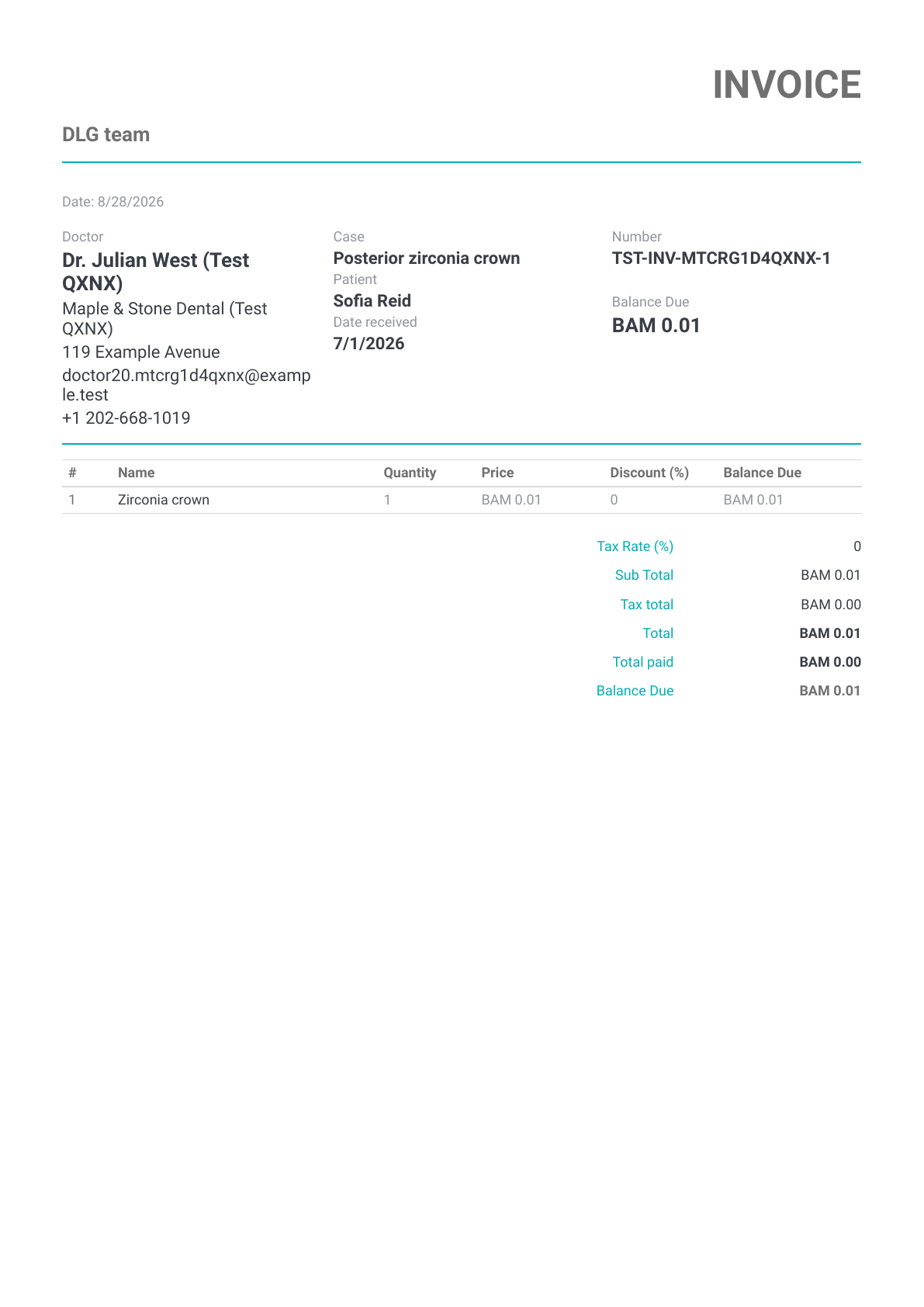
Demo invoice preview
A one-page invoice generated from demo case and payment data.
This rendered demo invoice is shown as financial-document proof. Unlike the case and Rx previews, this invoice sample does not contain a QR code.
Yes. Once a case is marked complete you can generate an invoice from it without re-entering the work, materials, or pricing.
Yes. You can configure price lists per dentist or clinic, so the right price is applied automatically.
Yes. Each invoice has a status, and you can record partial or full payments and see overdue invoices at a glance.
Replace spreadsheets and start running your dental lab from one platform.