
Why labs compare LabStar with Dental Lab Guru
Labs comparing LabStar often care about workflow depth, portal features, setup time, and total cost.
Dental Lab Guru emphasizes a clean dashboard, predictable monthly or annual pricing, and fast adoption for teams moving away from paper and spreadsheets.
The right choice depends on lab size, complexity, budget, implementation appetite, and how much dentist communication should happen inside the same system as production tracking.
Feature comparison
| Evaluation area | Dental Lab Guru | LabStar |
|---|---|---|
| Primary fit | Small and medium labs that want fast setup and clear daily workflow | Often considered by labs evaluating broader or legacy lab management options |
| Dentist communication | Doctor portal, files, case notes, and status updates connected to cases | Verify current portal and communication options directly with the vendor |
| Pricing model | $59 per month or $449 per year with all core features included | Pricing may vary by plan, configuration, users, or deployment needs |
| Implementation style | Browser-based setup built around cases, stages, due dates, invoices, and payments | Implementation details can depend on product version and lab requirements |
Migration guide
A simple migration should protect current production and avoid a big-bang software switch.
- 1 Identify the fields your lab actually uses every day.
- 2 Create a Dental Lab Guru case workflow for your top case types.
- 3 Move open cases and unpaid work first.
- 4 Use the first week to tune stages, roles, and daily review habits.
When Dental Lab Guru is the stronger fit
- You want to replace spreadsheets, paper job cards, and scattered messages.
- You need a practical case dashboard more than a long implementation project.
- You want predictable pricing for a small or growing lab.
- You want dentist files, messages, case status, invoices, and payments in one workflow.
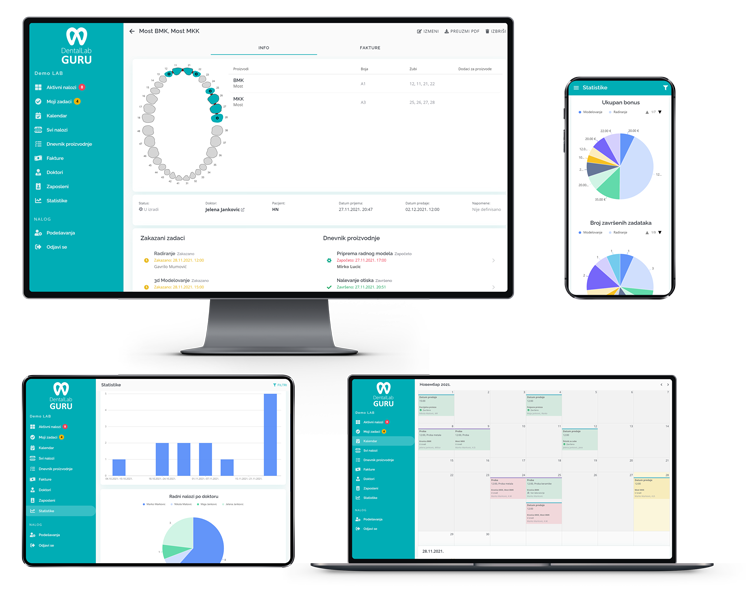
Product workflow
How Dental Lab Guru supports this work
Dental Lab Guru connects cases, stages, due dates, dentist communication, files, delivery, invoices, payments, and reporting so the team can follow the work from one shared record.
- Case tracking
- A QR code on every case
- Mobile QR scanning
- Doctor portal
- Production scheduling
- Invoice tracking
- Inventory management
- Employee management
Best practices
Define one source of truth for every case before it enters production.
Use due dates, stages, and owner assignments instead of loose notes.
Keep files, dentist messages, production status, delivery, and payment status attached to the case record.
Review active, late, finished, delivered, and unpaid work from the same dashboard every day.