
Why this problem happens
Communication breaks when the channel becomes the record. A message may be answered quickly but remain invisible to the technician, disconnected from the file version, or impossible to find when a change is questioned later.
- Dentists send instructions through several channels.
- Case files are not attached to the case record.
- Status calls happen because dentists cannot see progress.
- Clarifications are not visible to technicians doing the work.
A practical operating fix
Give each kind of communication one operational destination. The dentist may use a convenient channel, but the production-critical answer must end up on the case before work continues.
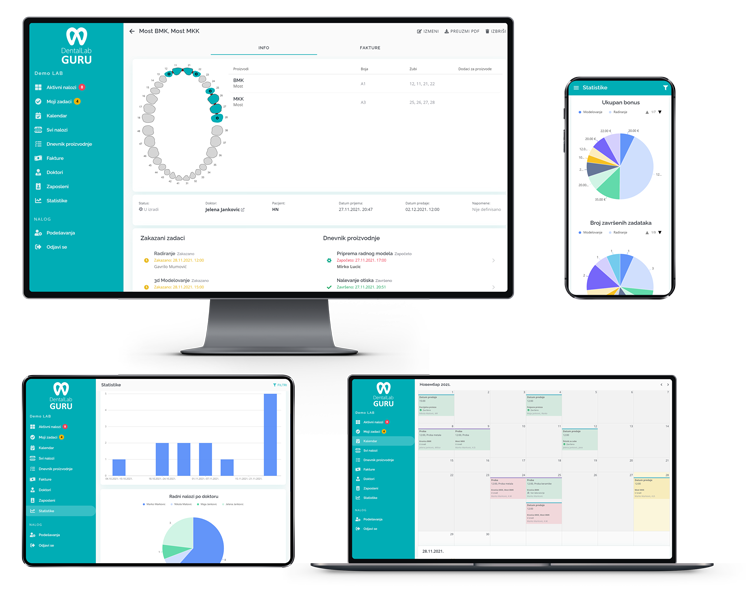
- 1 Use a doctor portal for file uploads and case notes.
- 2 Attach every clarification to the case.
- 3 Use status labels dentists can understand.
- 4 Review open dentist questions daily.
Channel-to-case rule
Decide which dentist messages must become part of the case record
The objective is not to ban phone calls or messages. It is to make sure information that changes production becomes visible to everyone responsible for the case.
| Communication | Case record action | Completion signal |
|---|---|---|
| New prescription or file | Attach it to the correct case and identify the current version | Assigned technician can open the required evidence |
| Production clarification | Record the question, response, author, and time | Waiting status is removed only after the answer is usable |
| Design or shade approval | Attach the approval to the decision it authorizes | Production version and next owner are explicit |
| General scheduling call | Record any changed promise, delivery method, or appointment dependency | Dashboard date and dentist expectation agree |
Use appropriate privacy and security controls for patient and case information. Do not copy sensitive information into a channel that the lab has not approved for that purpose.
Best practices
Define what dentists should submit at intake.
Avoid using private chats for production-critical notes.
Keep portal statuses simple.
Confirm final changes before production continues.