
Faster case lookup
Scan the code on case paperwork instead of searching a long case list by patient or number.
Product feature
Give every case a QR code that employees can scan with a phone to open the correct browser-based case record from the lab floor.
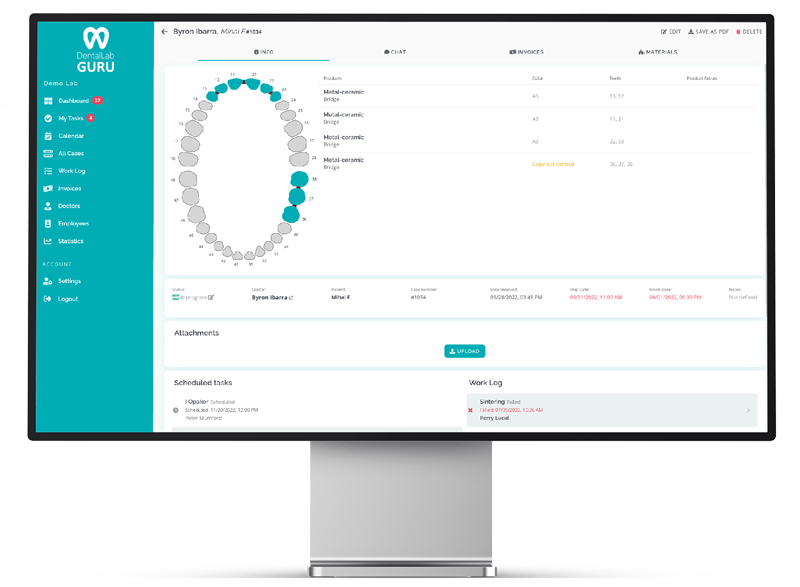
Give every case a QR code that employees can scan with a phone to open the correct browser-based case record from the lab floor.
Scan the code on case paperwork instead of searching a long case list by patient or number.
Reduce retyping and the risk of opening a similarly named record during production.
The QR code printed on the case sheet refers to the same case used for files, notes, status, delivery and invoices.
Employees can reach the relevant record with a phone when they are working away from a desktop screen.
From intake to bench
Clear scope
| It does | It does not |
|---|---|
| Identify and route to the correct Dental Lab Guru case | Expose case information publicly without authentication |
| Support phone scanning from printed case paperwork | Require a separate native mobile application |
| Connect physical paperwork to the browser-based case record | Replace CAD/CAM, milling or scanner-native production software |
| Reduce manual lookup during daily production | Provide custom enterprise barcode infrastructure |
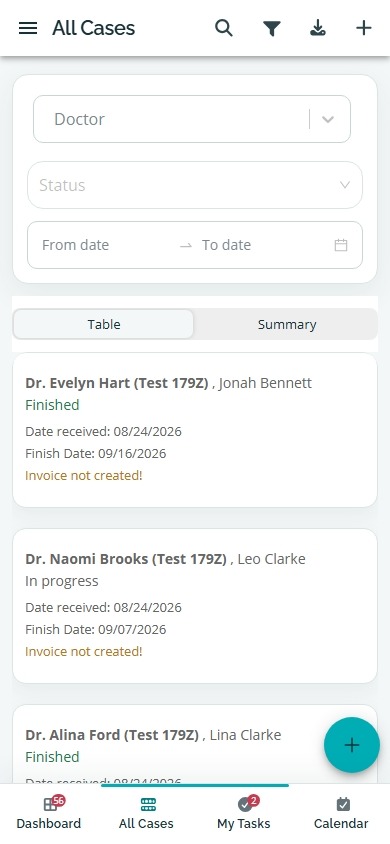
QR case access in the product
Every case receives a QR code. Employees can scan it with a phone to reach the correct browser-based case instead of searching by patient reference or retyping a case number.
The printed QR code and the digital record refer to the same case, reducing manual lookup on the lab floor.
Scanning opens the web application on a phone; there is no separate native mobile application to install.
A QR code is a route to the case, not a public-data shortcut. Authentication and case access remain controlled by the application.
Printable case paperwork
Dental Lab Guru can generate case paperwork that keeps the case reference, production details and QR code together for employees working away from a desktop screen.
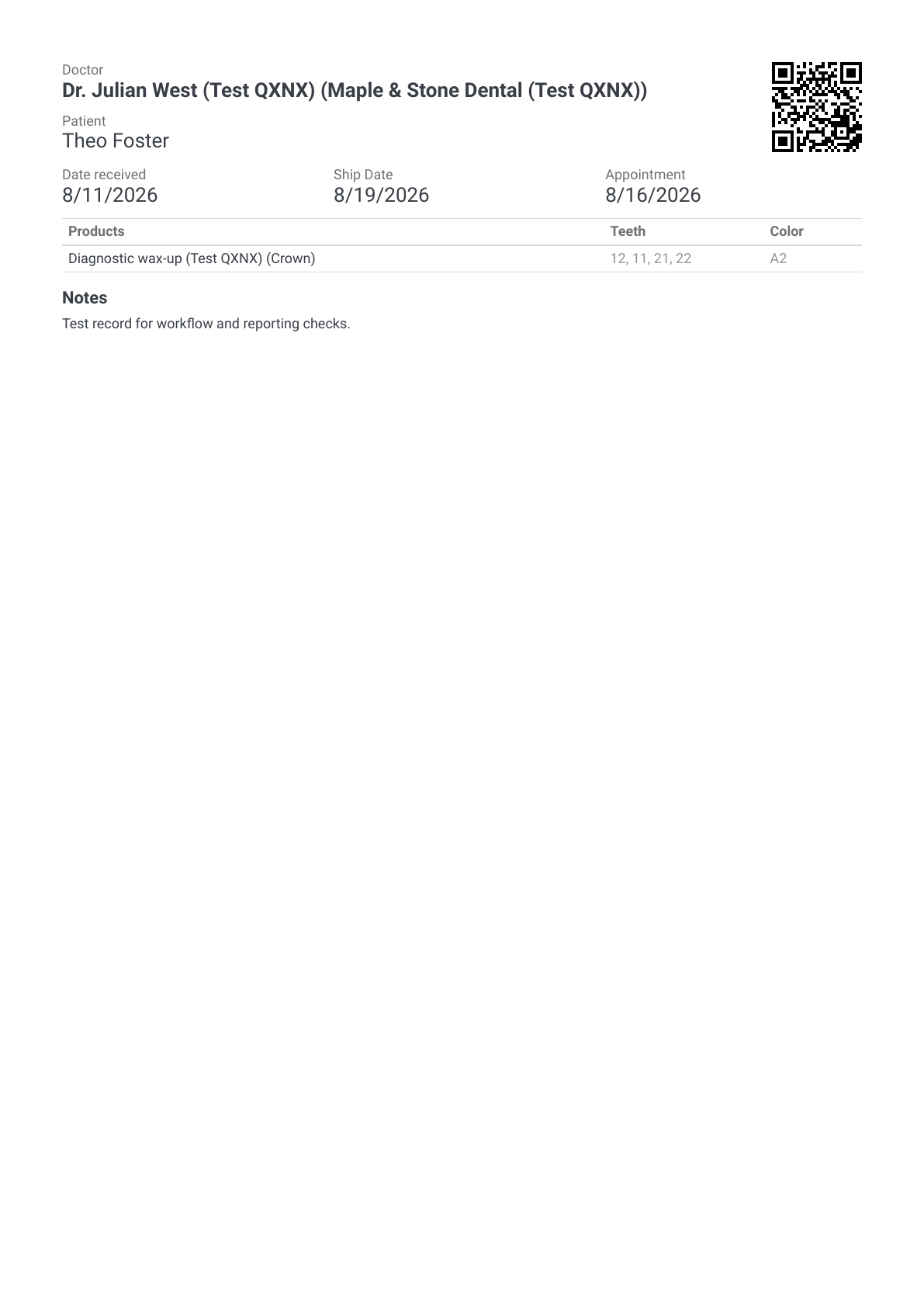
Case sheet with QR code
A compact case summary with doctor, patient reference, dates, product, teeth, shade, notes and the case QR code.
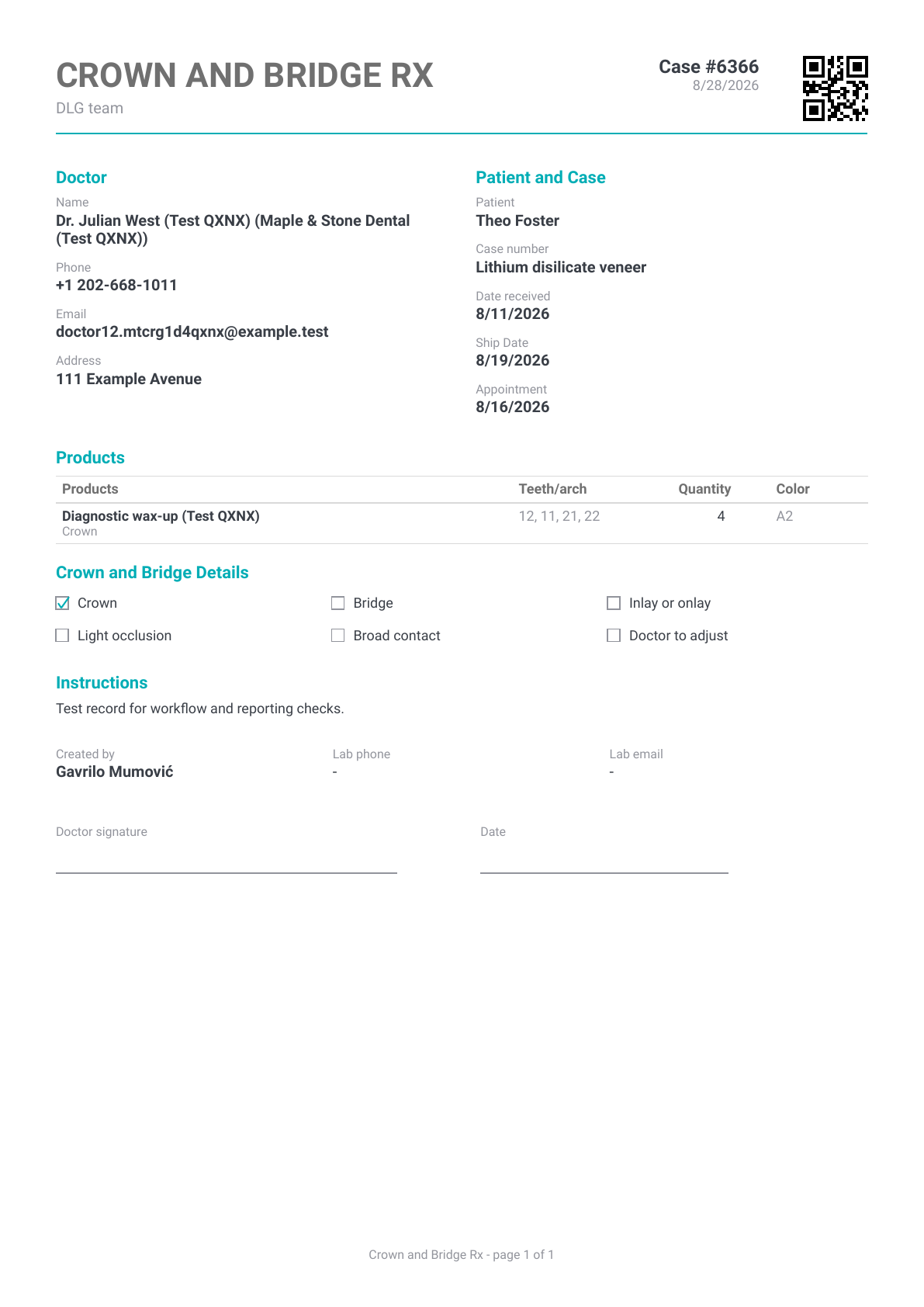
Crown and Bridge Rx with QR code
A fuller prescription sheet with doctor details, product information, options, instructions, signature fields and the case QR code.
These downloadable samples use fictional test records. A QR code routes an authorized user to the case; authentication and application permissions still apply.
Print the code at a clear size and keep it visible with the physical case.
Test scanning with the phones employees actually use before changing the bench workflow.
Require individual authenticated access so case permissions remain enforceable.
Begin with the next 10 cases and refine where the paperwork is placed at each stage.
Yes. Every case receives a QR code that can be included on supported case paperwork and scanned with a phone.
No. Dental Lab Guru is a browser-based web application. Scanning routes the employee to the web application on the phone.
No. The code routes to the case, but authentication and application permissions still control access to its information.
Yes. This page includes downloadable demo case-sheet and Crown and Bridge Rx PDFs made with fictional test records.
dental lab case tracking software
Track cases from intake to delivery with dentist details, files, notes, stages, due dates, delivery status, invoices, and payment follow-up. Every case receives a QR code that employees can scan with a phone. Learn benefits, common mistakes, best practices, and related Dental Lab Guru features.
dental lab production scheduling software
Plan production around case stages, due dates, rush work, technician visibility, and delivery promises from one shared dashboard. Learn benefits, common mistakes, best practices, and related Dental Lab Guru features.
digital dental lab workflow software
Digital files improve speed only when the lab can still see ownership, stage status, due dates, remakes, delivery, and payment follow-up for every case. Track required case information, stages, bottlenecks, best practices, and production visibility in Dental Lab Guru.
dental lab work ticket template
A work ticket gives each case a clear intake record before it enters production. Use it to capture dentist, patient, case type, shade, material, due date, and notes. Preview the fields, usage instructions, and upgrade path to structured Dental Lab Guru workflows.
dental lab reporting software
Explore Dental Lab Guru reporting for cases, invoices, work logs and materials, with a real product screenshot and practical reporting guidance.
dental lab employee management software
Give owners and managers a clearer view of assigned work, technician responsibilities, production status, and what each employee completed during the month for salary and payment tracking. Learn benefits, common mistakes, best practices, and related Dental Lab Guru features.
Move real cases into one shared workflow for production, dentist communication, delivery, invoices, and payment follow-up.