
Faster invoice creation
Carry doctor, patient reference and recorded work into the invoice instead of rebuilding it from memory.
Product feature
Connect completed cases to invoices and payment status so finished work does not get lost after delivery.
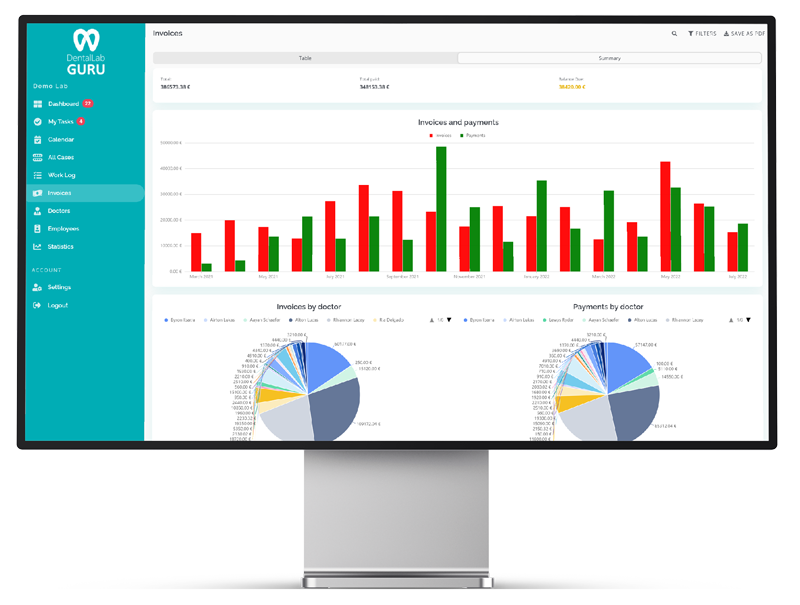
Connect completed cases to invoices and payment status so finished work does not get lost after delivery.
Carry doctor, patient reference and recorded work into the invoice instead of rebuilding it from memory.
Keep paid amounts and balance due visible for routine follow-up.
Connect finished and delivered work to its commercial status so completion does not end visibility.
Filter invoice records by doctor, status and date, then review totals in reporting.
Commercial continuity

Invoice tracking in the product
The invoice view connects doctor, patient reference, case dates, totals, paid amounts and remaining balance so commercial follow-up stays visible after production ends.
Finished cases can move into invoicing without recreating the doctor, patient reference and work details from memory.
Paid amounts and balances due remain visible in the list for faster payment follow-up.
Doctor, status and date filters help owners review the exact invoice group they need.
Generated invoice output
The generated invoice carries the lab, doctor, case, patient reference, line items, totals, paid amount and balance due into a clean document for commercial follow-up.
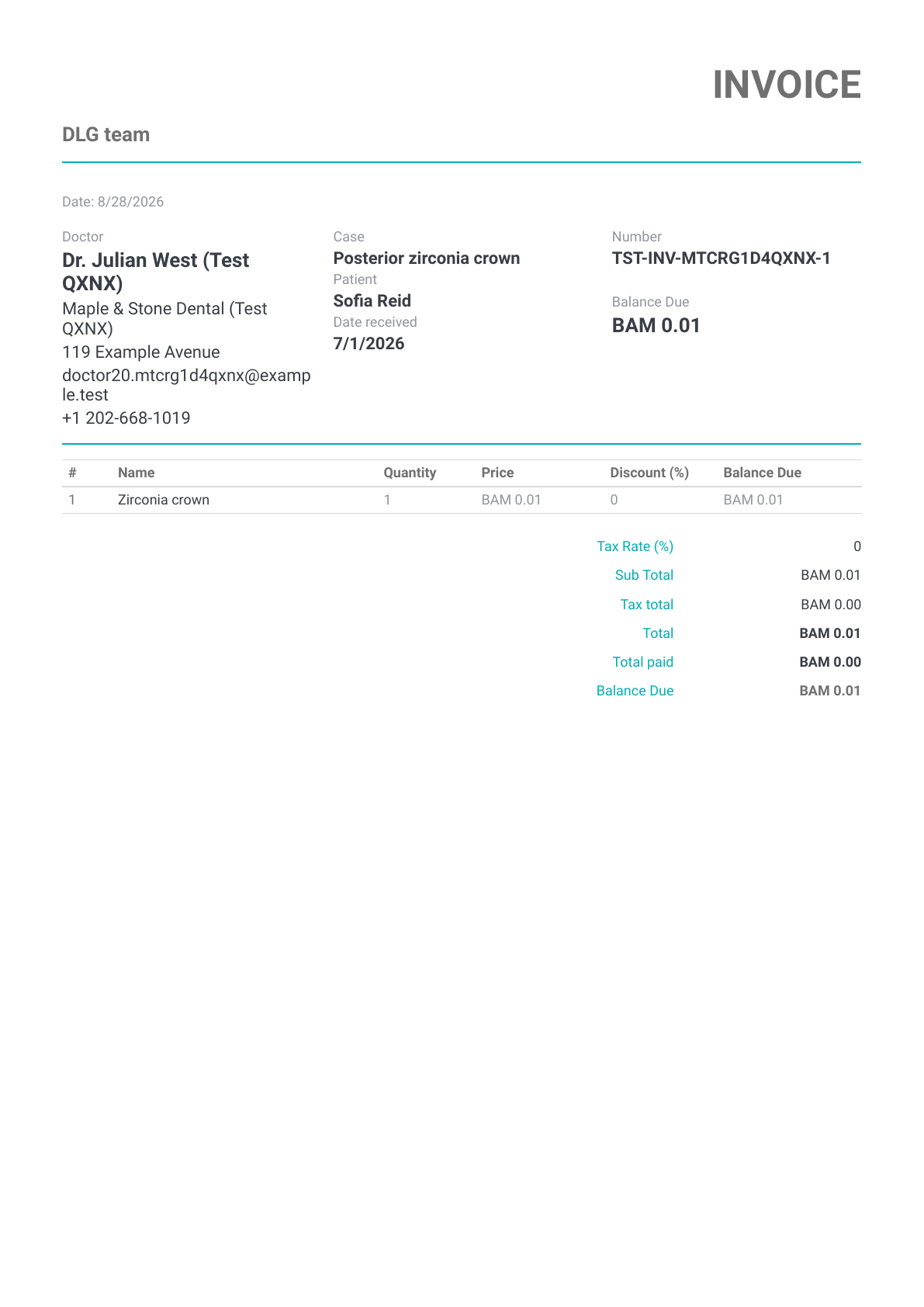
Demo invoice preview
A one-page invoice generated from demo case and payment data.
This rendered demo invoice is shown as financial-document proof. Unlike the case and Rx previews, this invoice sample does not contain a QR code.
Invoice from finished cases.
Review unpaid cases weekly.
Keep dentist price rules documented.
Use delivery status before invoice follow-up.
Yes. Dental Lab Guru includes this capability as part of the broader case, production, dentist communication, invoice, and reporting workflow.
Yes. The feature is designed for small and medium labs that want daily clarity without a heavy implementation project.
Yes. Dental Lab Guru keeps the feature connected to case records so the workflow stays organized from intake to delivery and payment follow-up.
dental lab case tracking software
Track cases from intake to delivery with dentist details, files, notes, stages, due dates, delivery status, invoices, and payment follow-up. Every case receives a QR code that employees can scan with a phone. Learn benefits, common mistakes, best practices, and related Dental Lab Guru features.
dental lab reporting software
Explore Dental Lab Guru reporting for cases, invoices, work logs and materials, with a real product screenshot and practical reporting guidance.
dental lab invoice template
A dental lab invoice template helps the lab bill completed work consistently. Use it to capture dentist, case details, line items, taxes, delivery, and payment terms. Preview the fields, usage instructions, and upgrade path to structured Dental Lab Guru workflows.
dental lab delivery note template
A delivery note helps the lab confirm what left the lab, when it was delivered, which dentist received it, and which case or invoice it belongs to. Preview the fields, usage instructions, and upgrade path to structured Dental Lab Guru workflows.
dental lab employee management software
Give owners and managers a clearer view of assigned work, technician responsibilities, production status, and what each employee completed during the month for salary and payment tracking. Learn benefits, common mistakes, best practices, and related Dental Lab Guru features.
dental lab production scheduling software
Plan production around case stages, due dates, rush work, technician visibility, and delivery promises from one shared dashboard. Learn benefits, common mistakes, best practices, and related Dental Lab Guru features.
Move real cases into one shared workflow for production, dentist communication, delivery, invoices, and payment follow-up.