

What do you need before training staff on a new lab management system?
Preparation is not optional. The decisions you make before a single training session begins determine how smoothly your staff onboarding lab software experience will go. Two things matter most at this stage: who is involved in planning, and what tools are in place to deliver training.

Start with your implementation team. Involve the people who actually touch the workflow: technicians, managers, billing/admin staff, and anyone responsible for receiving or updating cases. You do not need a committee for every decision, but you do need input from the people who know where work gets stuck today. That makes training feel practical instead of imposed from above.
Build your training infrastructure before day one. You need three things in place:
- A safe practice setup, demo account, or sample cases where staff can learn without changing real work
- Role-based training notes mapped to each job function in your lab
- A clear go-live date with a simple communication plan that explains what changes, when, and why
For larger teams, a simple Learning Management System (LMS) can help you assign training by role and track completion. For most small and medium dental labs, a shared folder with short recorded walkthroughs, screenshots, and written job aids is usually enough.
Know your roles before you write a single training module. The table below maps the three core dental lab roles to their primary training focus areas.
| Role | Primary training focus |
|---|---|
| Bench technician | Case intake, status updates, work order processing |
| Billing staff | Invoice generation, payment tracking, account management |
| Registration/front desk | Case registration, client/dentist communication, case notes, delivery updates |
A go-live plan without a communication strategy is incomplete. Staff need to know the timeline, what support is available, and who to contact when something goes wrong. Publish that information before training starts.
How to implement a role-based training program for lab system adoption
Uniform training wastes time and reduces competency. When a bench technician sits through a billing workflow module, they disengage. When billing staff practice case processing steps they will never use, they lose confidence in the parts that actually matter to them. Role-based training tailored to distinct lab functions is more efficient and better prepares each staff member for their actual day-to-day work.
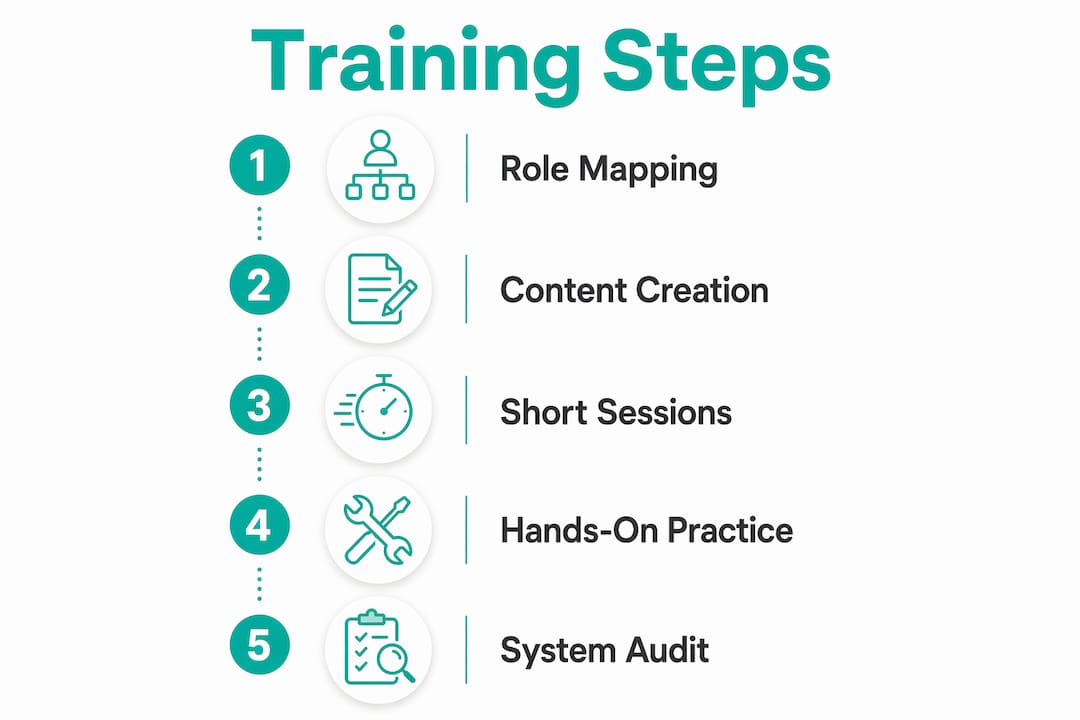
Here is a practical four-step process for building and running role-based training in your dental lab.
- Map each role to its core workflows. List every task a bench technician, billing coordinator, or registration staff member performs in a typical day. These tasks become your training scenarios, not the software’s feature list.
- Build training scenarios around real cases. Use sample crown, bridge, implant, repair, and remake cases that look like your normal work. Practical walkthroughs build confidence much faster than abstract software tutorials.
- Designate super users for each role. Select one or two staff members per role who receive extended training before the rest of the team. Super users should be lab professionals with strong workflow knowledge, not IT staff. They become your first line of peer support after go-live.
- Run a structured 90-day implementation timeline. The intensive training phase falls between days 30 and 60, after configuration is complete and before the system goes live. Days 60 through 90 focus on supervised use, feedback collection, and targeted retraining.
Pro Tip: Never schedule training sessions longer than 90 minutes. Dental lab staff are on their feet all day. Short, focused sessions with hands-on practice outperform full-day classroom formats every time.
Your practice setup is your most useful training asset. Let staff create a sample case, update its status, change the due date, mark it delivered, and correct a mistake. Every role should complete a few full workflow walkthroughs before the system becomes the main place where work is tracked.
What are the common challenges during staff training and how to fix them?
Resistance to new systems stems more from poor change management than from software quality. That insight changes how you approach problems during rollout. When a technician pushes back on the new system, the issue is rarely the software. It is usually that no one explained what changes for them personally, or what they gain from the switch.
The most common training challenges in dental labs fall into four categories:
- Resistance and anxiety. Staff worry the new system will slow them down or make their expertise less relevant. Address this directly by framing technology as empowering staff, not replacing them. Show each role how the system reduces their specific pain points, whether that is chasing down case status or manually reconciling invoices.
- Personnel changes mid-implementation. Someone leaves or a new hire joins during the training window. Plan for this by preparing a rapid onboarding module that covers the essentials in under four hours. Do not assume a new hire will absorb training by osmosis.
- Workarounds forming before habits do. Staff revert to spreadsheets or paper notes because the new system feels unfamiliar. Catching this early is critical.
- Engagement dropping after the initial launch excitement fades. The transition valley is real. A visible implementation roadmap with milestone celebrations at key checkpoints keeps momentum going when the novelty wears off.
“The goal is not to get staff to use the software. The goal is to get staff to do their jobs better, and the software is the tool that makes that possible.”
Auditing actual system usage at day 60 is the single most effective troubleshooting action you can take. Identifying workflows used outside the configured system tells you whether you have a training gap or a configuration problem. A training gap means retraining. A configuration problem means adjusting the system to match how your lab actually works. Both are fixable, but only if you catch them before bad habits become permanent.
What ongoing practices keep lab system adoption strong after go-live?
Go-live is not the finish line. The first 90 days establish habits, but ongoing practices determine whether your lab gets full value from the system over the long term.
Super users are your most cost-effective ongoing resource. They provide peer-to-peer support, answer questions in real time, and reduce the burden on formal support channels. Their effectiveness depends on staying current, so build a quarterly check-in with your super users into your calendar.
Feedback loops are equally important. Staff who use the system daily will spot bottlenecks that managers miss. Create a simple, low-friction way for any team member to flag a workflow issue. A shared form, a weekly five-minute standup, or a dedicated channel in your team communication tool all work. The format matters less than the consistency.
The table below outlines four ongoing practices and their recommended frequency.
| Practice | Recommended frequency |
|---|---|
| System usage audit | Every 60 days for the first year |
| Super user check-in | Quarterly |
| Staff feedback review | Monthly |
| Retraining sessions for updated features | With each major software update |
Pro Tip: Keep your training material short. One-page checklists and two-minute screen recordings are more useful than a long manual that nobody opens after launch.
Regular retraining is not a sign that initial training failed. Software updates, staff turnover, and workflow changes all create new training needs. Labs that schedule retraining proactively outperform those that wait for problems to surface.
Key takeaways
Structured, role-based training integrated within a 90-day implementation plan is the most reliable method to achieve full staff adoption of a new dental lab management system.
| Point | Details |
|---|---|
| Start with role mapping | Identify each staff role’s core workflows before writing a single training module. |
| Use staging environments | Practice on real test cases in a staging setup to build confidence before go-live. |
| Designate super users | Select workflow-knowledgeable staff for extended training to support peers after launch. |
| Audit at day 60 | Review actual system usage to catch workarounds and address training gaps early. |
| Build ongoing feedback loops | Monthly staff feedback and quarterly super user check-ins sustain long-term adoption. |
Where most labs get training wrong
Most dental labs do not fail with new software because the team is incapable. They fail because training is treated as a single event. Someone gives a long demo, the team nods along, and then everyone goes back to the old spreadsheet because that still feels safer.
The better approach is to train around real work. A technician should learn how to move a crown case through the system. An admin person should learn how to enter a new case, update the client, and check what is due today. A manager should learn how to see what is stuck, overdue, delivered, or unpaid.
That is the difference between feature training and workflow training. Feature training says, “Here is what the software can do.” Workflow training says, “Here is how we will run the lab from Monday morning.” The second one is what sticks.
The other mistake is allowing two systems to run forever. During transition, it is normal to keep notes in more than one place. But after go-live, the team needs to know where the truth lives. If one person updates the software, another updates a spreadsheet, and a third keeps the real status in their head, the new system will never become useful.
Make the new system part of everyday lab work
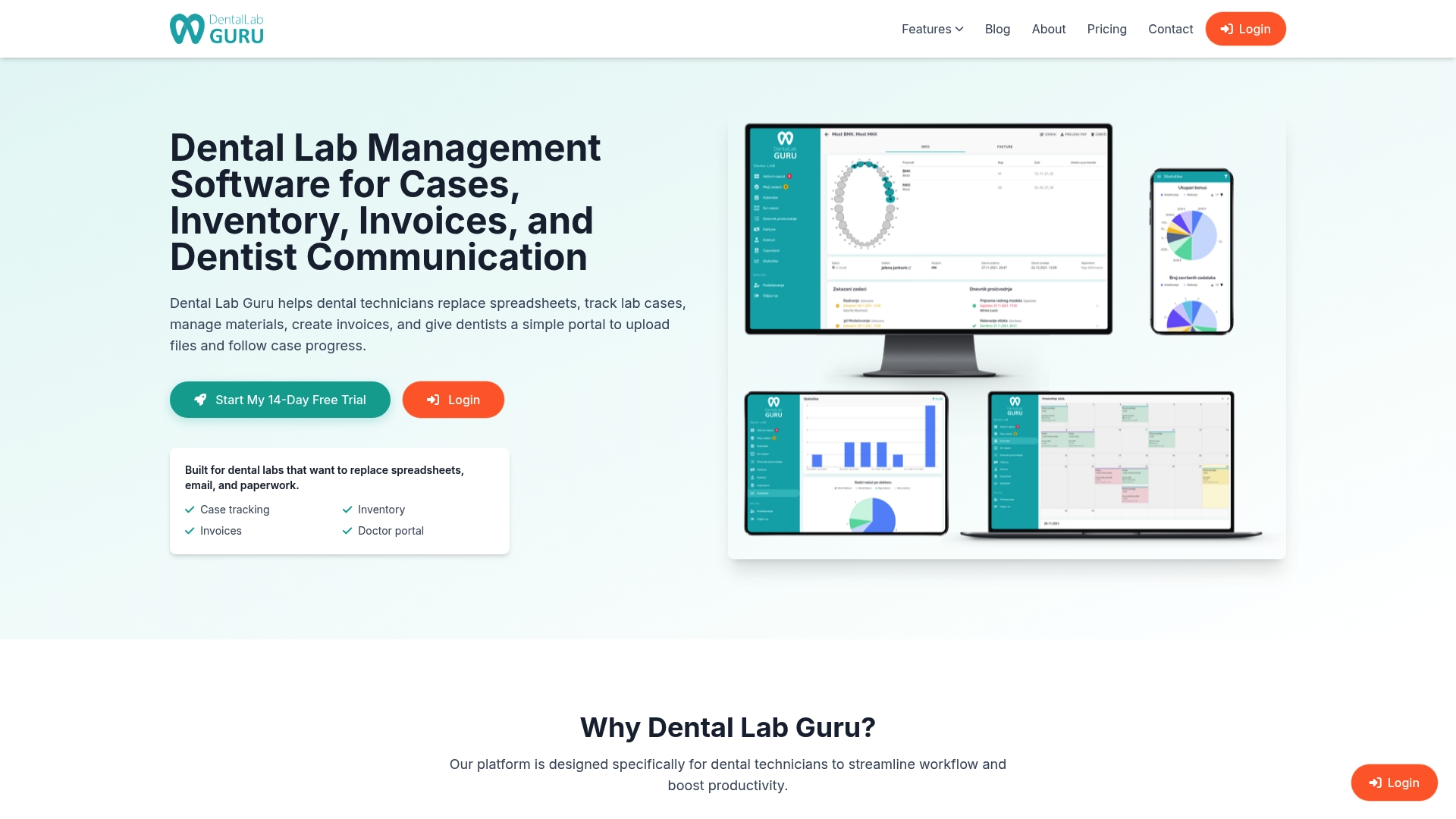
Dental Lab Guru is built for small and medium dental labs that want a clearer way to manage daily work. It helps keep cases, clients, deadlines, delivery status, payments, and lab workflow organized in one place instead of spreading that information across spreadsheets, paper notes, and messages.
When training your team, start with the workflows they already know: create a case, assign or update its stage, check what is due, mark a case delivered, and review what still needs attention. Once those habits are clear, the software becomes part of the lab routine instead of “one more system” people are forced to use.
If your current process depends on memory, paper, or scattered messages, Dental Lab Guru gives your team a simpler place to keep the work organized.
FAQ
How long does it take to train staff on a new lab management system?
For a small dental lab, the basics can often be trained in a few short sessions over one or two weeks. Full adoption usually takes longer because habits need to change. Plan for a simple first phase, a go-live date, and then follow-up training after the team has used the system on real cases.
What is a super user in lab system training?
A super user is a lab staff member with strong workflow knowledge who receives extended training before go-live. Super users provide peer-to-peer support and reduce reliance on formal help channels during the first weeks of live use.
How do you handle staff resistance to a new lab system?
Resistance is reduced by clearly communicating how the new system benefits each specific role and by involving staff in the planning process. Framing the technology as a tool that supports their expertise, rather than replacing it, builds trust and buy-in.
What should a day 60 system audit include?
A day 60 audit reviews which workflows staff are completing inside the system versus outside it. Any workarounds identified indicate either a training gap requiring retraining or a configuration issue requiring system adjustment.
Do dental lab staff need formal certification for lab management software?
Formal certification is usually not required for a small or medium dental lab. What matters more is that each person can confidently complete the workflows they are responsible for: creating cases, updating status, checking deadlines, delivery updates, and payment follow-up.