
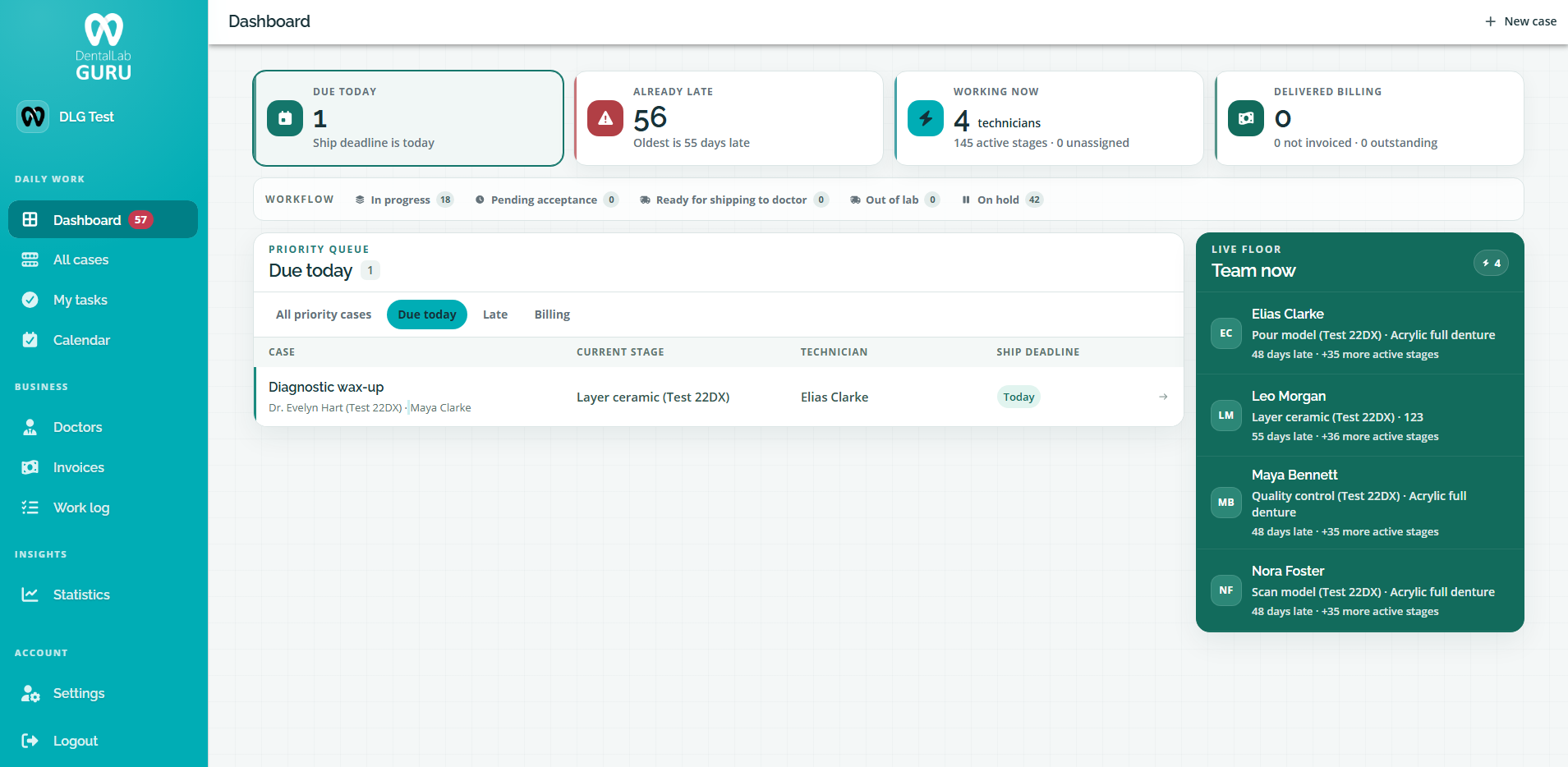
See what needs attention
Check approaching deadlines, follow production stages and see who is responsible for the work.
Dental lab management software For LMT readers
Keep case details, deadlines, technician assignments and payment follow-up together. Dental Lab Guru gives your team one place to follow the work, from the dentist’s request to delivery.
No payment method required. Subscribe when you’re ready.
How it works
From the original request to assigned work, delivery and payment. Here are the product views your team uses along the way.
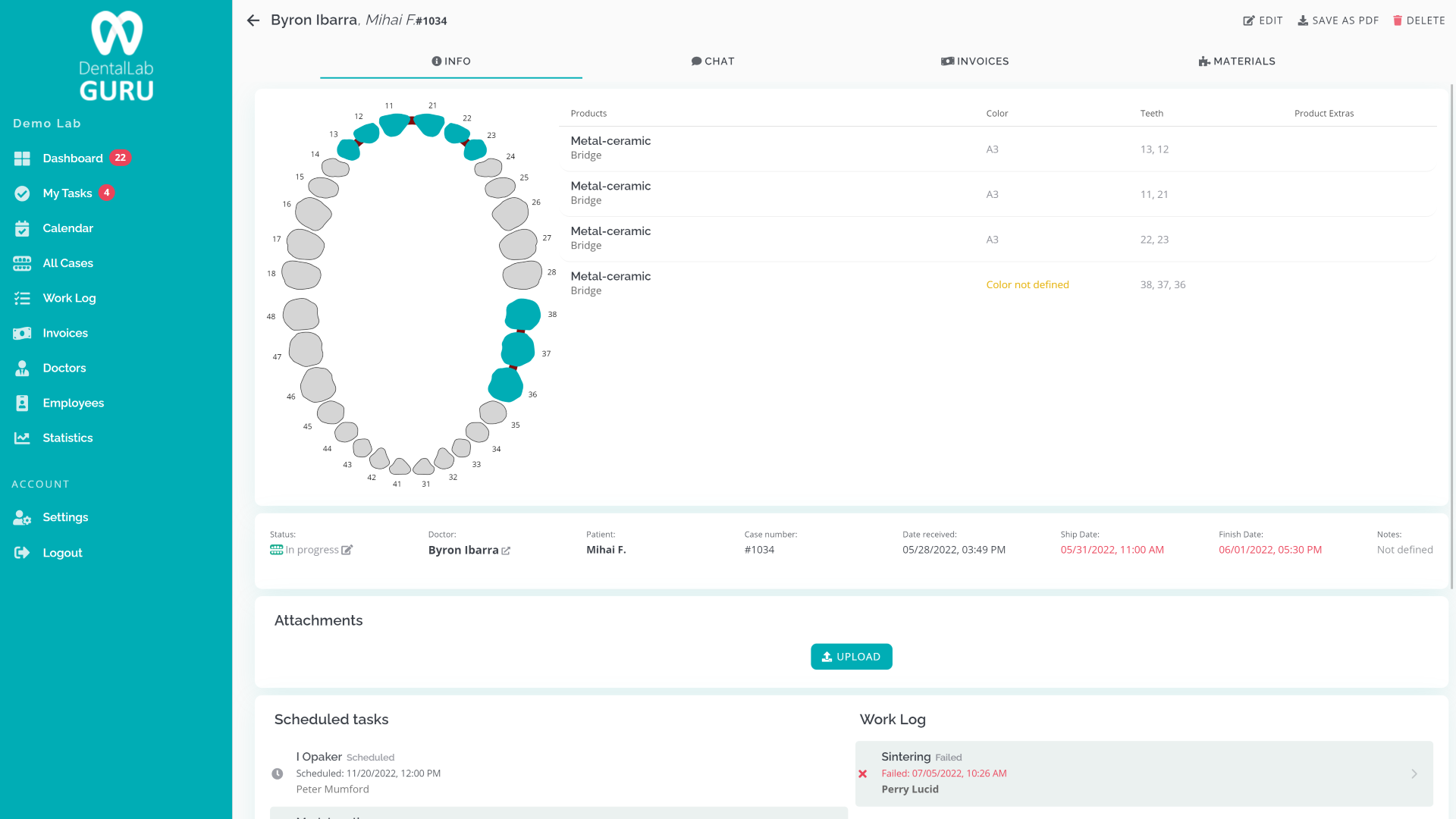
Keep the instructions and files with the case.
Start with the requested work, due date, case notes and attachments.
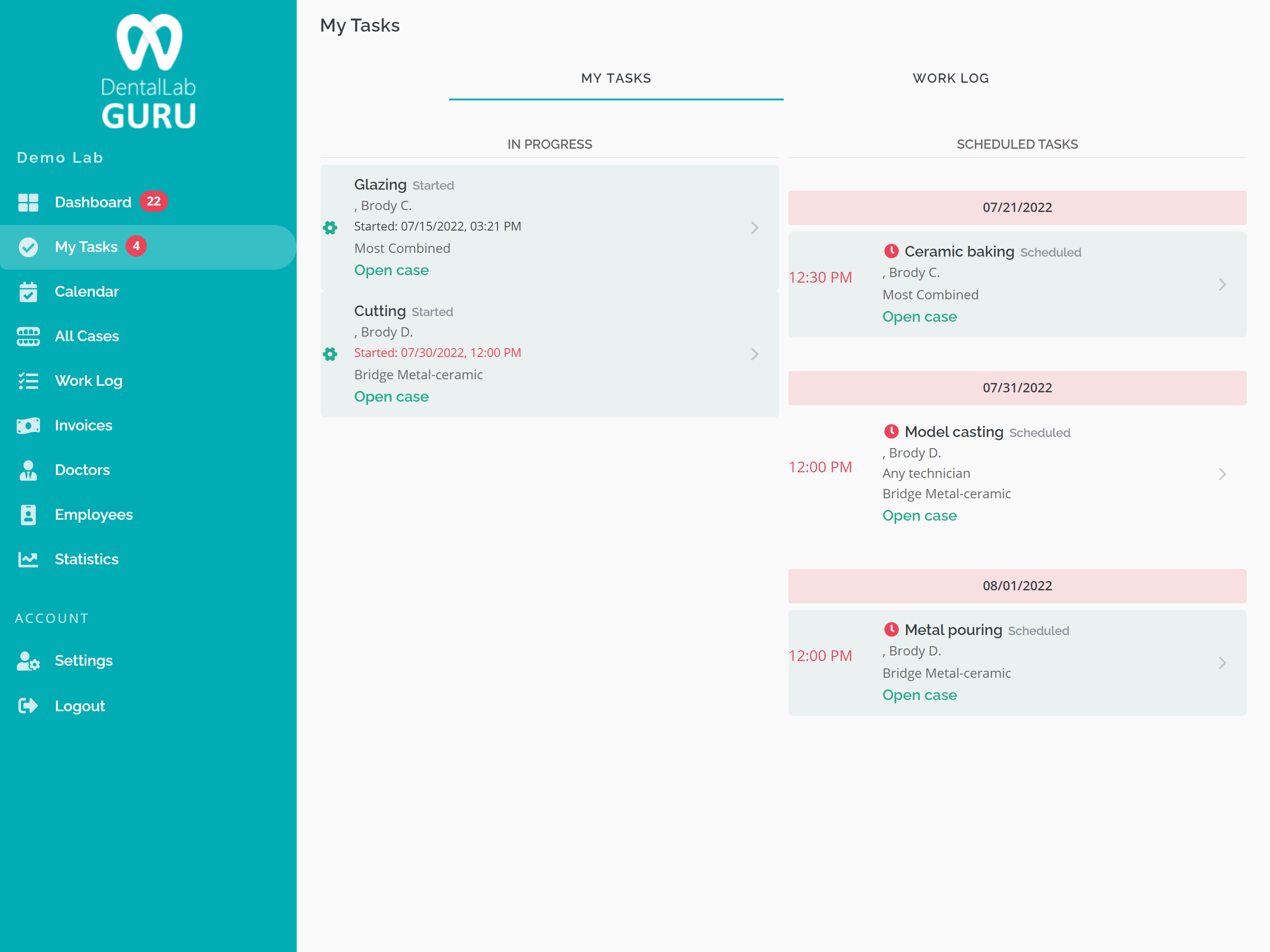
See who is working on it and what comes next.
Follow assigned tasks and the current production stage as work moves through the lab.
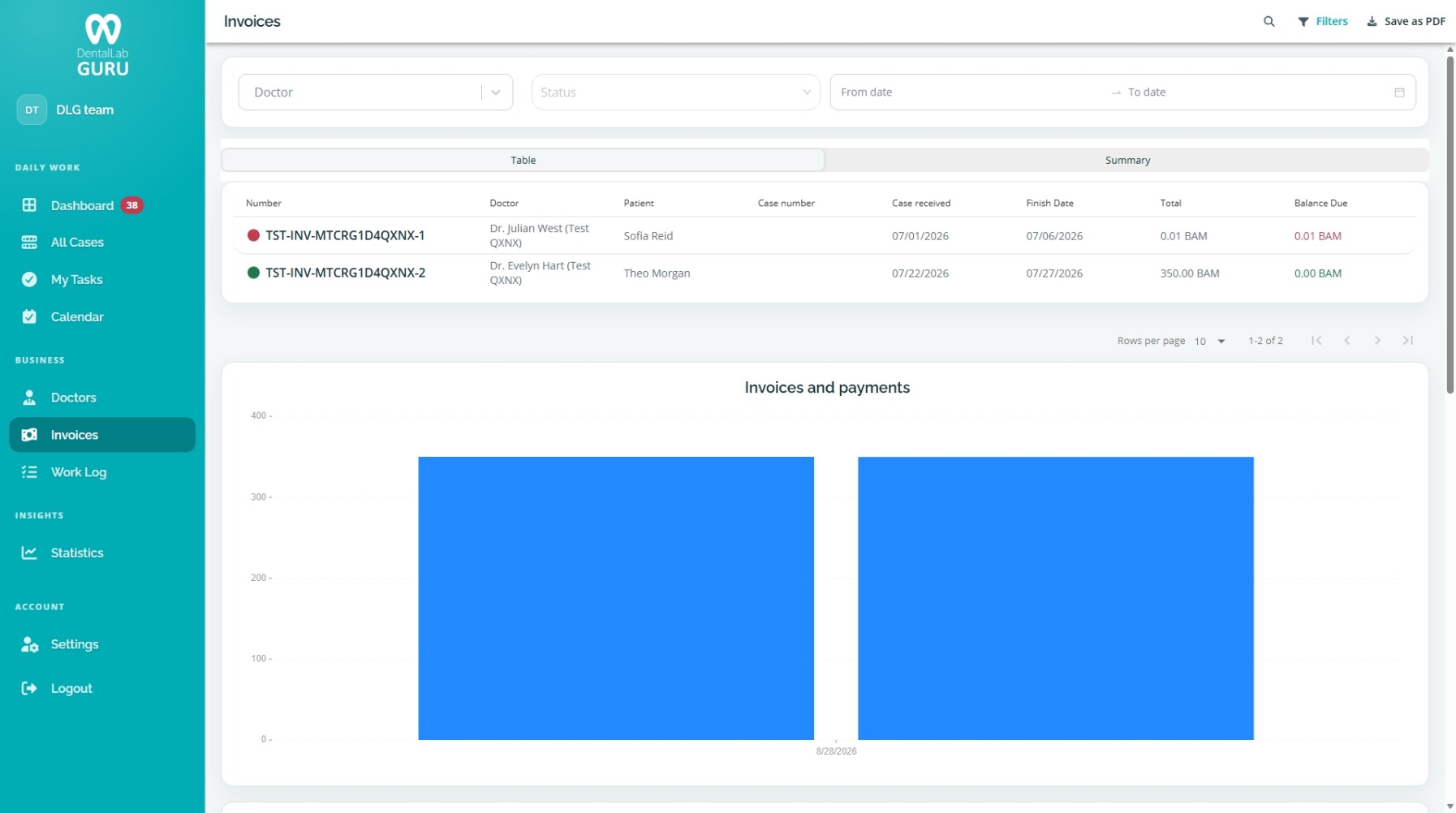
Follow completed work through delivery and payment.
Update delivery status on the case, then follow its invoice and recorded payments.
Product screenshots use demonstration data.
Check approaching deadlines, follow production stages and see who is responsible for the work.
Give dentists a place to share files, send case-related messages and check progress.
Create invoices from completed cases and follow outstanding balances without losing the connection to the original work.
An easy place to start
Try a few example cases and move them through your usual production stages. See how the workflow fits before introducing it across your lab.
Pricing
Choose monthly or annual billing for all core features. Add AI Case Assistant for $19/month or $190/year.
Dictate case details or upload an audio file. Automatically fill in patient details, tooth IDs, products and materials, then review before saving.
+$19/month or +$190/year
The core plan
Start with a 14-day trial. No payment method is required. Choose either billing option when you are ready to subscribe.
Monthly billing
$59 USD/month
$59 subscription + $19 AI
14-day trial. Subscribe for $59 USD/month.
Once approved, the subscription renews monthly until cancelled.
The trial ends without a charge unless you choose a paid subscription.
Annual billing
$449 USD/year
$449 subscription + $190 AI
14-day trial. Subscribe for $449 USD/year.
Once approved, the subscription renews annually until cancelled.
The trial ends without a charge unless you choose a paid subscription.
$37.42/month, billed annually.
Applicable taxes, if any, are shown before payment. See the trial, renewal and cancellation terms.
To stop a paid subscription renewing, cancel through your payment provider’s subscription controls or contact [email protected] before the next renewal. Keep your cancellation confirmation. If you do not choose a paid subscription, your trial ends without a charge.
Getting started
No. Dental Lab Guru runs in a supported web browser on a computer, tablet or phone with an internet connection. No desktop download or local server is required.
Yes. Add a few example cases and follow them through your usual production stages while keeping your current process running. You do not need to migrate historical records to evaluate the workflow.
Your lab can create and manage cases itself. When you are ready, invite dentists to collaborate through their own accounts, share files, send case messages and follow relevant case status. The portal is included with the lab subscription; invited dentists do not need a separate lab subscription.
No payment method is required to start. After 14 days, paid functionality is restricted unless you choose a subscription and approve payment. The core plan costs $59 USD/month or $449 USD/year. AI Case Assistant is optional at +$19 USD/month or +$190 USD/year, bringing the total to $78 USD/month or $639 USD/year. An approved subscription renews at your chosen interval until cancelled. Cancel through your payment provider’s subscription controls or contact us before renewal. If you do not subscribe, the trial ends without a charge.
Use the contact form below or email [email protected] with your question. You can also request a walkthrough to discuss how Dental Lab Guru fits your lab’s workflow.
Try the workflow with a few cases, or ask us a question before getting started.
Contact
Ask a question or request a walkthrough. You can also email info@dentallabguru.com.