Examples of Dentist–Lab Collaboration Tools in 2026
Dentist–lab collaboration tools help dental clinics and dental laboratories share case information, files, notes, approvals, and status updates in a more organized way. Instead of relying on email threads, WhatsApp messages, phone calls, paper forms, and scattered folders, these tools try to keep everything connected to the right case.
There is no single “best” collaboration tool for every lab. Some platforms are built around digital impressions and scanner ecosystems. Some focus on secure case review and approvals. Others are mainly useful for dental practices that want to track lab work from their side. For most small and medium dental labs, the right answer is usually a combination of two things: a simple internal system for organizing lab work, and a dentist-facing workflow that makes case communication easier.
What dentist–lab collaboration tools actually do
A good collaboration tool should make it easier to answer basic questions without interrupting the whole team:
- Has the dentist sent all the required files and instructions?
- Which case is this note or scan connected to?
- Was the change request approved?
- What is due today, tomorrow, and later this week?
- Has the case been delivered, invoiced, or paid?
That sounds simple, but many labs still answer these questions by searching through emails, checking paper forms, asking technicians, or scrolling through messages. The goal of collaboration software is not to make the lab look more “digital.” The goal is to reduce missed information, repeated questions, delayed cases, and avoidable remakes.
Examples of dentist–lab collaboration tools worth knowing
The tools below solve different parts of the dentist–lab workflow. They are not all direct competitors, and they are not all aimed at the same type of lab. Use them as examples of what is available and what kind of problem each category is trying to solve.
1. 3Shape Unite and TRIOS-connected workflows
For labs that receive many cases from dentists using TRIOS scanners, 3Shape-connected workflows can reduce a lot of manual file handling. Instead of the dentist exporting files, emailing them, and hoping the lab saves them in the right place, the case can move through the 3Shape ecosystem with scans and case information attached.
This is useful when your lab already works heavily with digital impressions and CAD/CAM. The benefit is not only speed. It is also fewer lost files, fewer versioning problems, and less confusion about which scan belongs to which case.
The tradeoff is that ecosystem-based tools work best when both sides are already using compatible systems. If your dentist clients use many different scanners and submission habits, you may still need a more flexible intake process alongside the scanner workflow.
2. PIC dental for implant case sharing
PIC dental is more specialized. It is relevant for labs and clinics working with implant cases where accurate file sharing and linked digital records matter. In implant workflows, the cost of missing or mismatched files is high because the case often depends on scans, soft tissue data, implant positions, design files, and clinical notes lining up correctly.
For a lab that does many implant cases, a specialized tool can be worth the effort because it removes a common source of back-and-forth: “Which file is final?” “Did the lab receive the scan?” “Is this connected to the right patient record?”
For a smaller general lab, this may be too specific as a first step. It is better to first get your basic case tracking and dentist communication under control.
3. Browser-based case review portals
Tools like SmileInspector represent another useful category: browser-based case sharing and review. The advantage is lower friction. A dentist does not necessarily want to install another application or learn a complex system just to approve a case or upload a file.
For labs, the main value is keeping review notes, approvals, and file versions attached to the case instead of scattered across email. That matters when there is a remake, a disputed change, or a dentist says they approved something different.
Practical rule: the easier it is for the dentist to use, the more likely they are to actually use it. A collaboration tool that requires too much onboarding may be technically good but operationally useless.
4. Practice-side lab case tracking tools
Some tools, such as lab case management modules inside larger dental practice platforms, are primarily built for the clinic side. They help the dental practice track what was sent to the lab, when it is expected back, and whether the case is still open.
These tools can be helpful for your dentist clients, but they do not automatically organize your internal lab workflow. A dentist may have a clean view inside their practice software while your lab still manages production with spreadsheets, paper forms, and memory.
This distinction matters. A clinic-side tool and a lab-side tool are solving related but different problems. Do not assume that because a dentist has lab tracking in their PMS, your lab’s internal process is now solved.
5. Specialized clinical collaboration tools
Some collaboration platforms focus on complex clinical data rather than general case management. For example, tools built around jaw motion, occlusion, full-arch cases, or advanced implant planning can be very valuable for specific types of work.
These tools are not usually the starting point for a lab that simply wants better daily organization. They are best for labs that already have a strong internal process and need to improve collaboration on complex cases where the clinical data itself is the bottleneck.
How to compare dentist–lab collaboration tools
Before choosing a tool, write down what problem you are actually trying to fix. “We need better collaboration” is too vague. A better question is: where does information currently get lost?
| Question | Why it matters |
|---|---|
| Do dentists send complete case information? | Incomplete intake creates follow-up calls, delays, and remakes. |
| Are files attached to the correct case? | Lost scans and unclear versions waste technician time. |
| Can dentists approve or clarify changes easily? | Clear approvals reduce disputes and repeated communication. |
| Can your team see case status internally? | External collaboration is not enough if the lab itself is disorganized. |
| Is the tool easy for dentists to adopt? | A powerful platform is not useful if clients refuse to use it. |
For small and medium labs, adoption friction is often more important than feature depth. A tool that dentists actually use will beat a more advanced system that nobody logs into.
Which tool fits your lab?
- Labs receiving many TRIOS cases: a 3Shape-connected workflow may reduce manual file handling and scanner-related confusion.
- Labs focused on implant work: specialized implant collaboration tools can help keep scans, records, and design files connected.
- Labs needing easier dentist approvals: browser-based case review tools can reduce email back-and-forth and make approvals easier to document.
- Dentists who want to track lab work from their side: practice-side lab case tracking modules can help the clinic, but they do not replace the lab’s internal system.
- Labs still using spreadsheets or paper notes: start by organizing cases, clients, deadlines, deliveries, and payments inside the lab before adding more specialized collaboration tools.
Why internal organization comes before collaboration
Many labs look for a dentist-facing collaboration tool when the real problem is internal organization. If your team does not have a reliable view of active cases, due dates, delivery status, and payment status, adding a dentist portal or scanner integration will only solve part of the problem.
Before choosing any collaboration tool, make sure your lab can answer these questions quickly:
- What cases are due today?
- Which cases are waiting for information from the dentist?
- Which cases are finished but not delivered?
- Which delivered cases are not invoiced or not paid?
- Which client sends the most incomplete cases?
When the lab has this internal clarity, communication with dentists becomes easier because you are not guessing. You know where every case stands before you reply.
Key takeaways
| Point | Details |
|---|---|
| Collaboration tools solve different problems | Some are scanner-based, some are browser-based, some are practice-side, and some are specialized for complex cases. |
| Case records matter more than messages | The important thing is keeping files, notes, approvals, and deadlines connected to the right case. |
| Adoption friction is critical | If dentists will not use the tool, the workflow will fall back to email and phone calls. |
| Internal lab organization comes first | A dentist-facing tool cannot fully fix a lab that does not already track its own cases clearly. |
| Start simple | For many small and medium labs, basic case tracking and deadline visibility provide the biggest immediate improvement. |
How Dental Lab Guru fits into this workflow
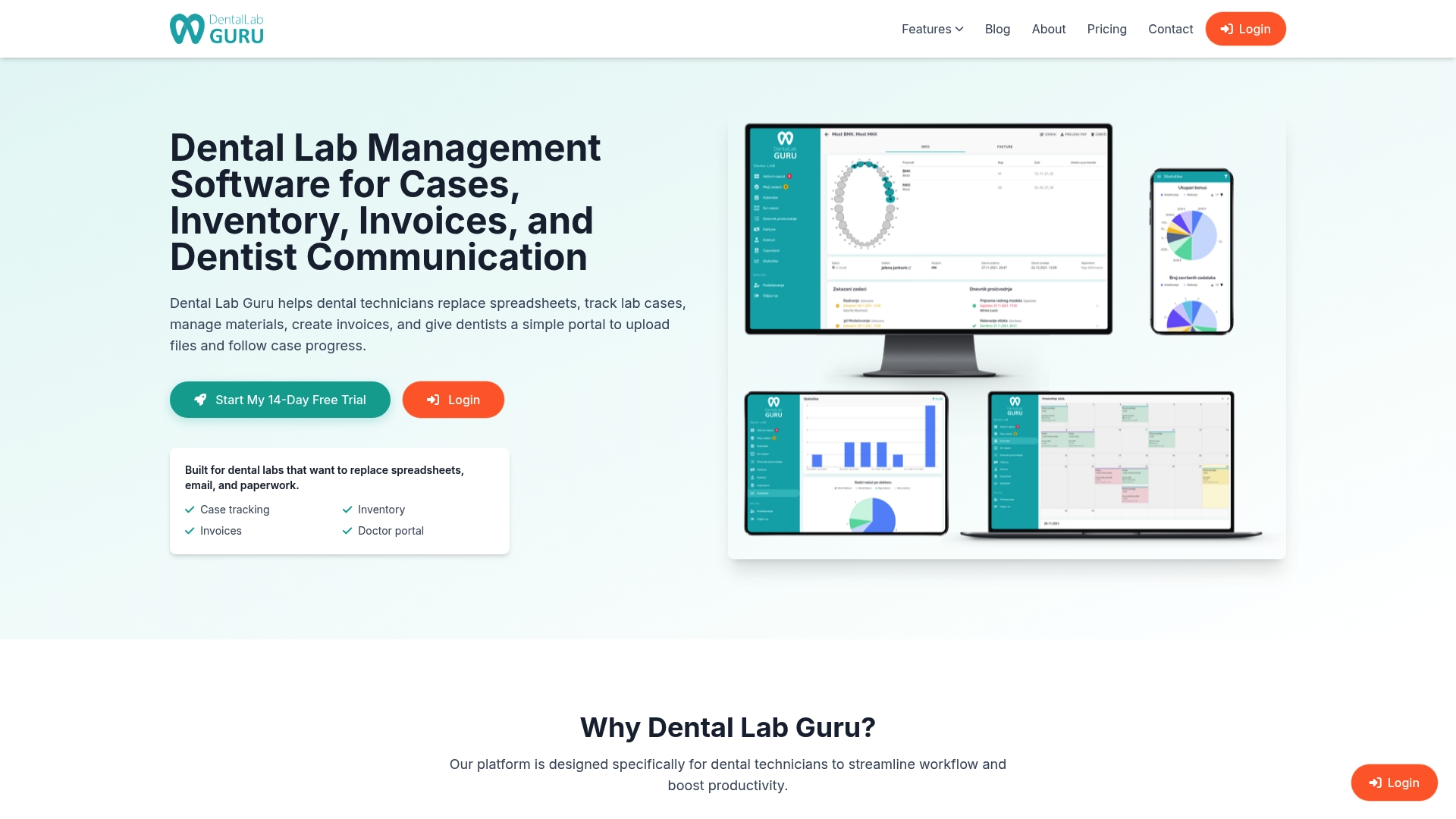
Dental Lab Guru is not trying to replace every specialized scanner, implant, or clinical planning tool. It focuses on the lab-side foundation: keeping cases, clients, deadlines, deliveries, payments, and daily work organized in one place.
That foundation matters because collaboration only works when the lab itself knows what is happening. When every case has a clear status, due date, client, and payment state, your team can communicate with dentists faster and with less confusion.
If your lab is still tracking work through spreadsheets, paper notes, WhatsApp messages, or memory, start with the basics: make every case easy to find, easy to update, and easy to connect back to the right client.
Dental Lab Guru helps small and medium dental labs do exactly that.
FAQ
What is a dentist–lab collaboration tool?
A dentist–lab collaboration tool is software that helps dental clinics and dental laboratories share case files, notes, approvals, deadlines, and status updates in a more organized way.
Which collaboration tool is best for a small dental lab?
For many small labs, the best first step is not a complex collaboration platform. It is a simple internal system for tracking cases, clients, deadlines, deliveries, and payments. Once that is stable, dentist-facing collaboration tools are easier to adopt.
Do dental labs need a scanner-specific collaboration tool?
Only if enough of your dentists use that scanner ecosystem. If your dentists send cases in many different ways, you may need a flexible intake and case tracking process more than a scanner-specific tool.
How do collaboration tools reduce remakes?
They help reduce remakes by keeping instructions, files, change requests, and approvals connected to the correct case. That lowers the chance of missed information or outdated files being used during production.
How is dental lab management software different from collaboration software?
Collaboration software focuses on communication and file sharing between the dentist and the lab. Dental lab management software focuses on the lab’s internal work: cases, deadlines, clients, deliveries, payments, and daily production visibility. Many labs benefit from both.